A central place for access
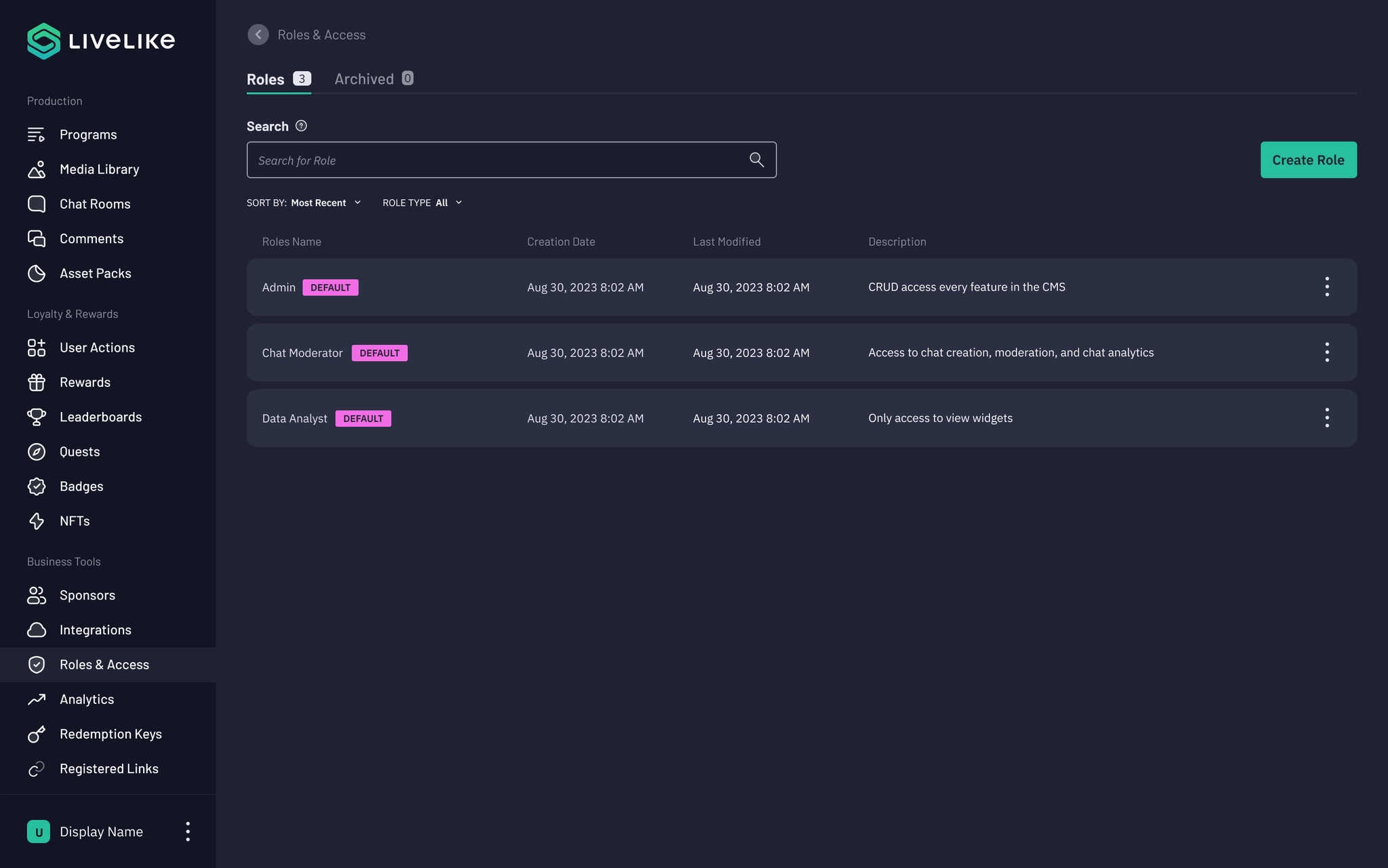
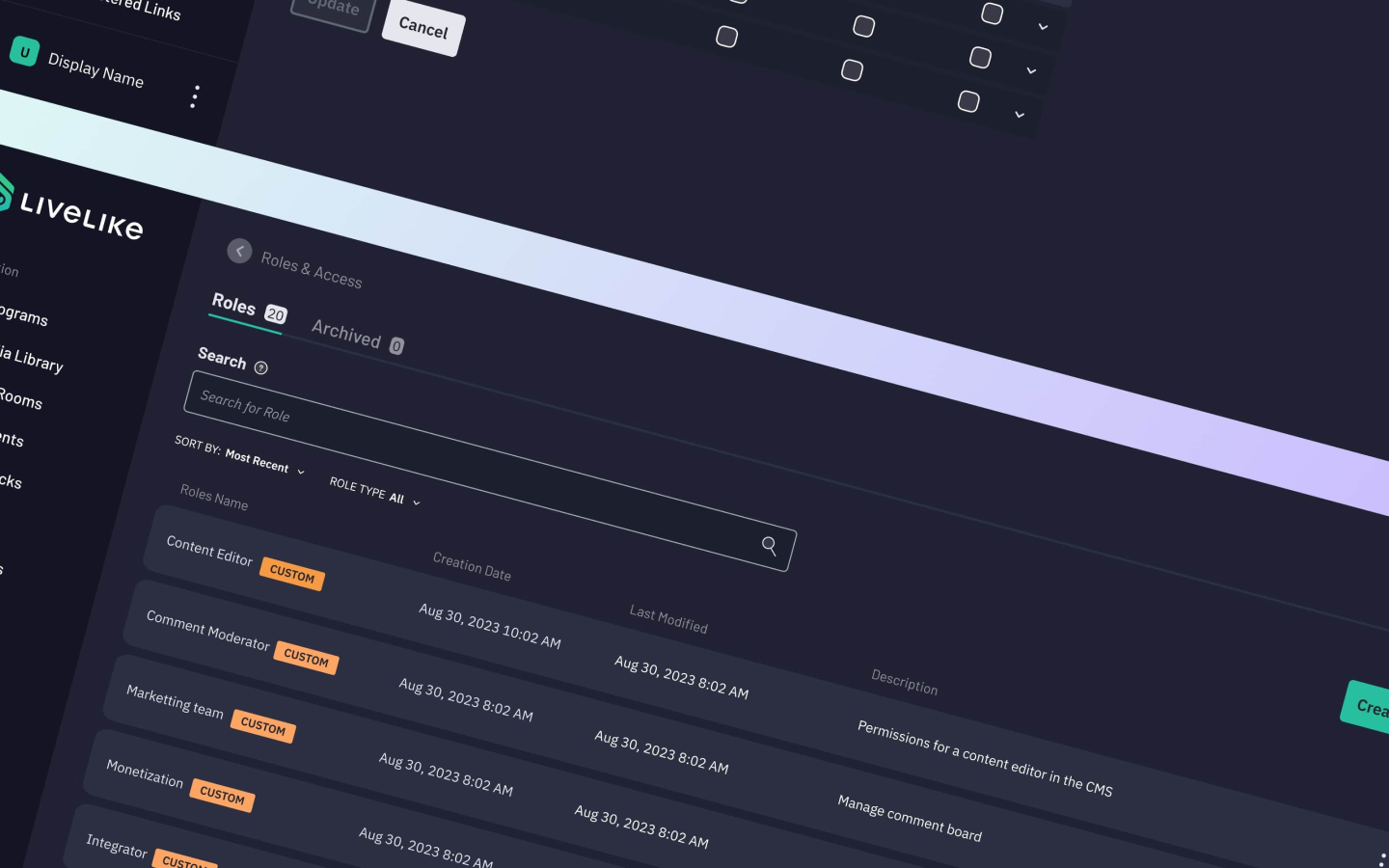
Administrators can view default and custom roles, search and sort them, and reach archived roles.


Giving administrators a clear, scalable way to manage roles and permissions within the LiveLike CMS.
Teams use LiveLike’s CMS for content, workflows, and audience engagement. Different responsibilities require different access. I led research, design strategy, prototyping, usability testing, and iteration for a role-based access control experience.
Customers depended on LiveLike staff to change roles and permissions. As teams grew, that process created delays, errors, unclear responsibilities, and barriers to collaboration. Administrators needed a way to manage access themselves.
Customer interviews revealed a need for clear role definitions, granular permissions, and easier assignment. Users described delays in content approval and decision-making, as well as difficulty understanding who could access or edit specific features.
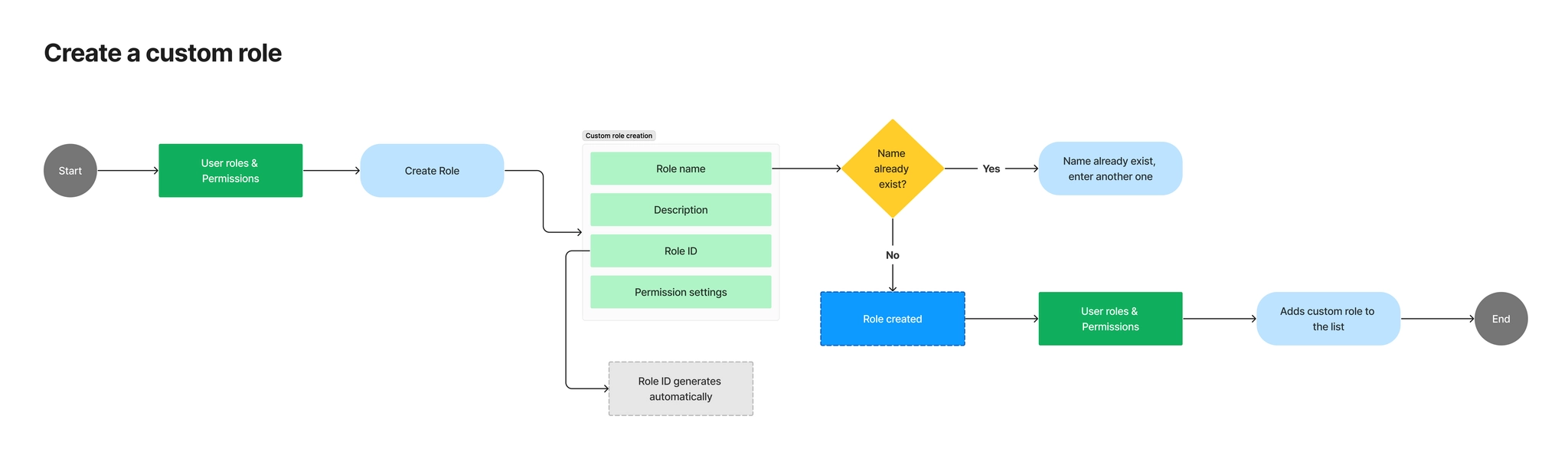
I worked with the product manager to organize ideas into an information architecture and map the core flows: creating a custom role, assigning users, and removing access. Default roles provide a starting point, while custom roles support more specific team needs.
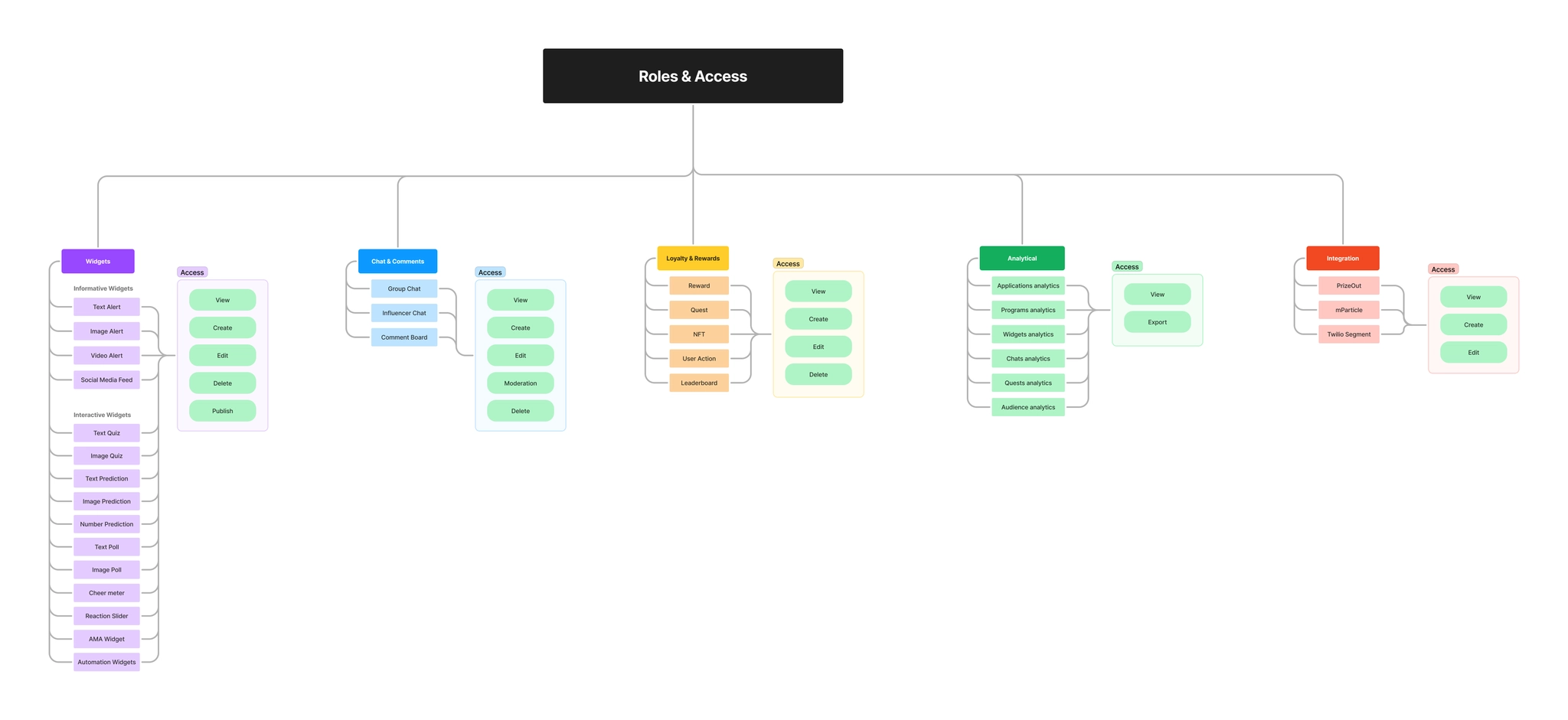
Administrators can view default and custom roles, search and sort them, and reach archived roles.
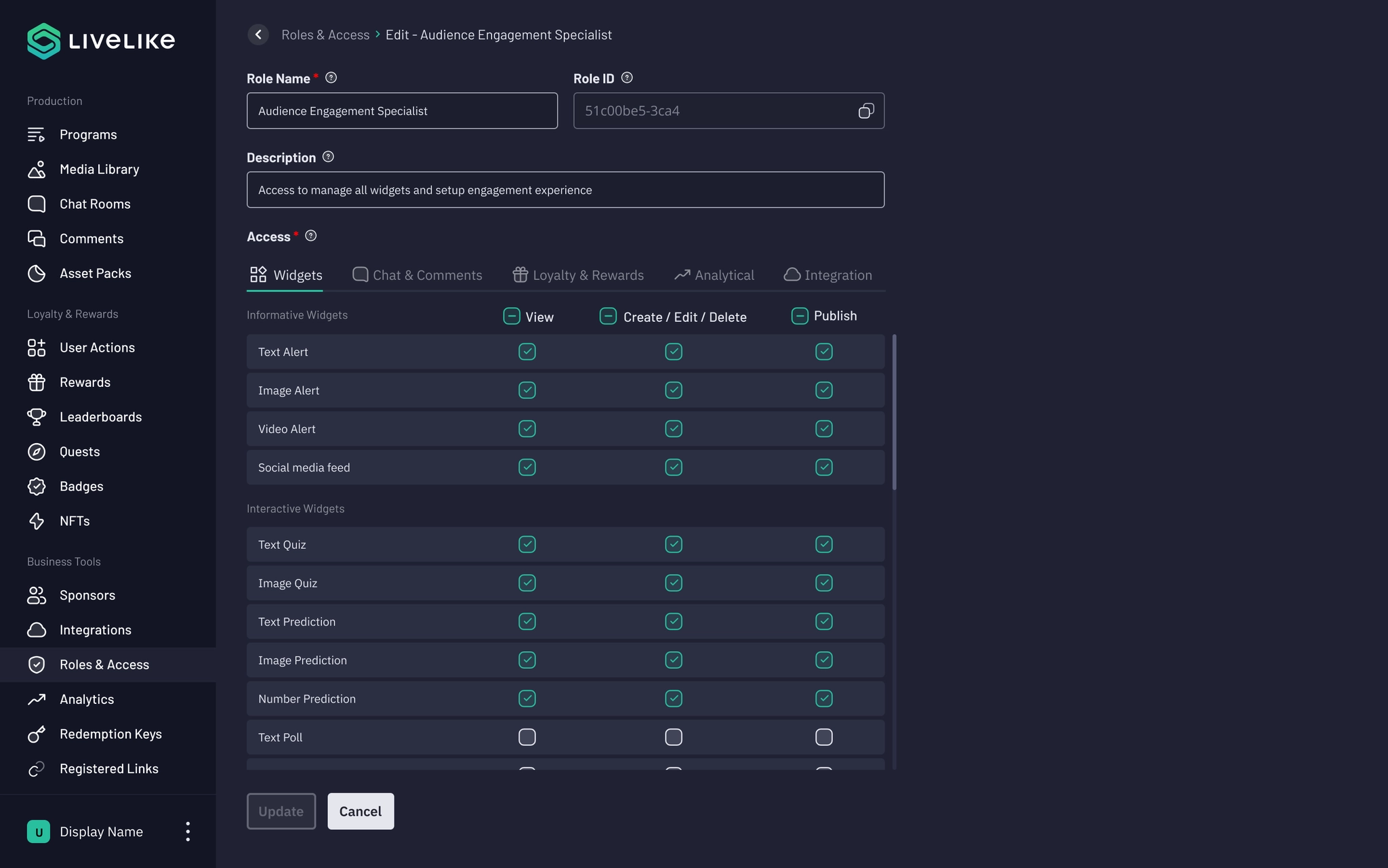
Role creation includes unique-name validation, descriptions, generated IDs, and granular access settings. Required fields must be complete before creation.
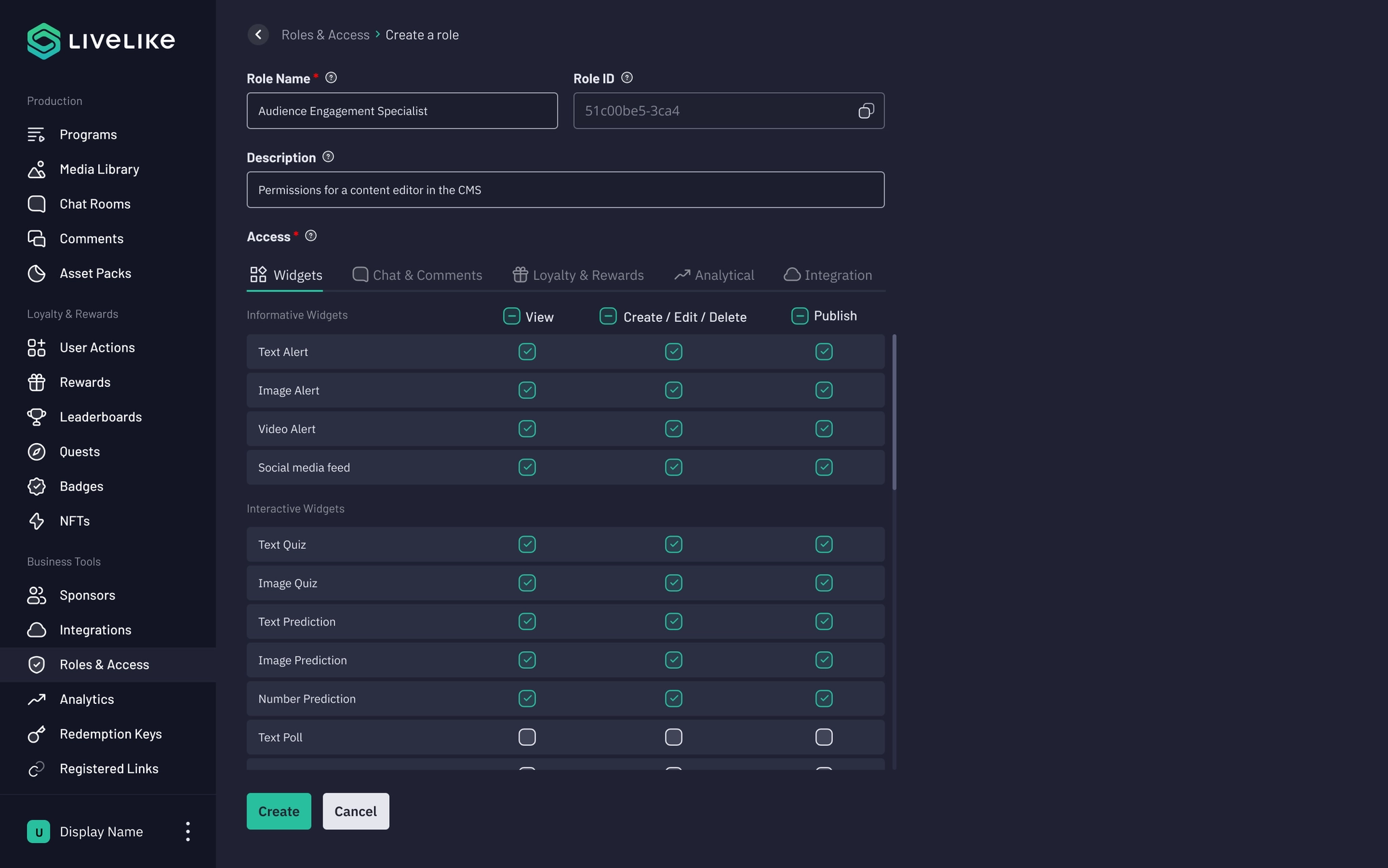
A dedicated view and edit page shows a role’s configuration. Updating is enabled only when changes have been made.
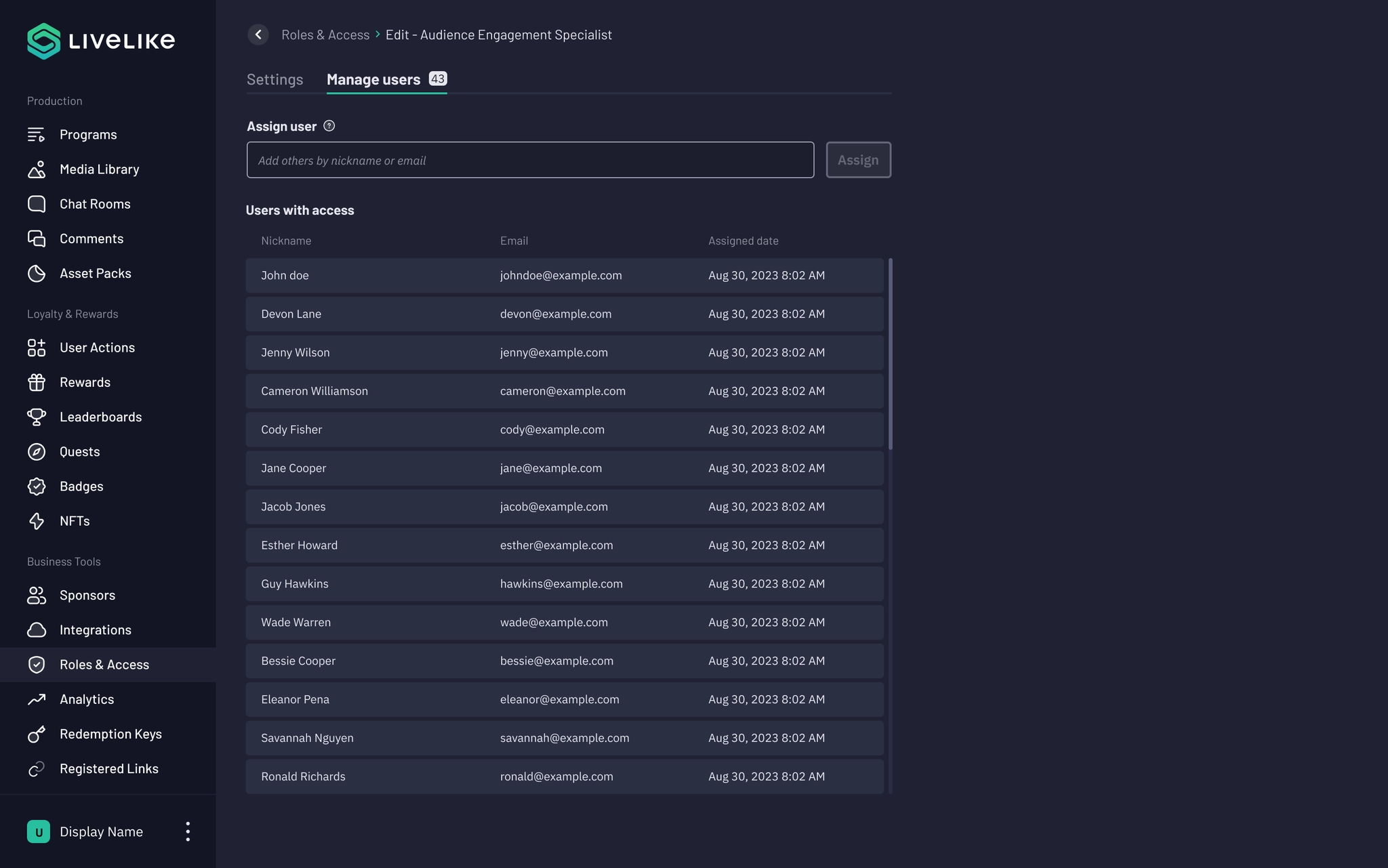
A role’s user list includes email addresses and assignment dates, with controls to add or remove people.
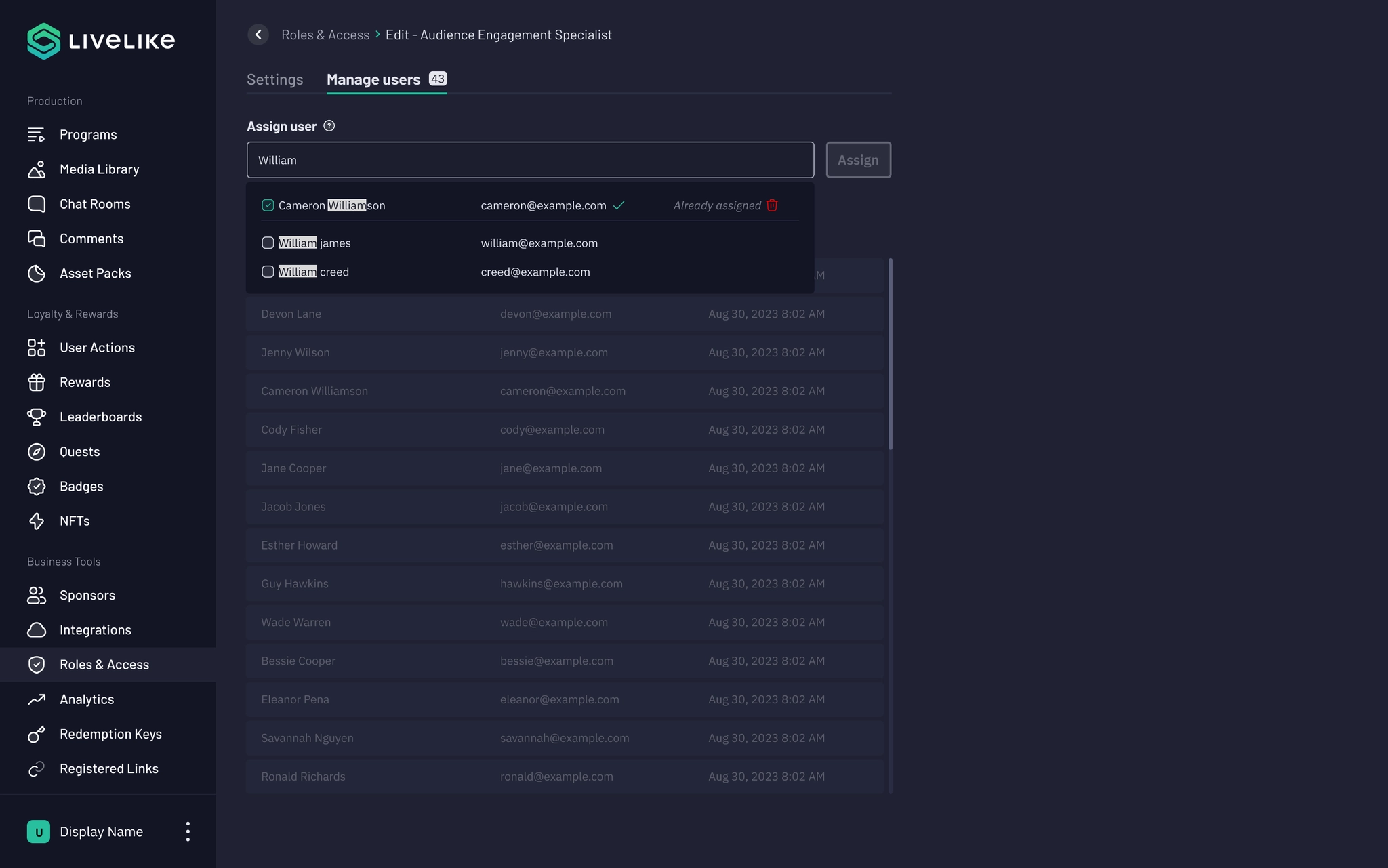
Multi-select controls let administrators assign a role to several users at once.
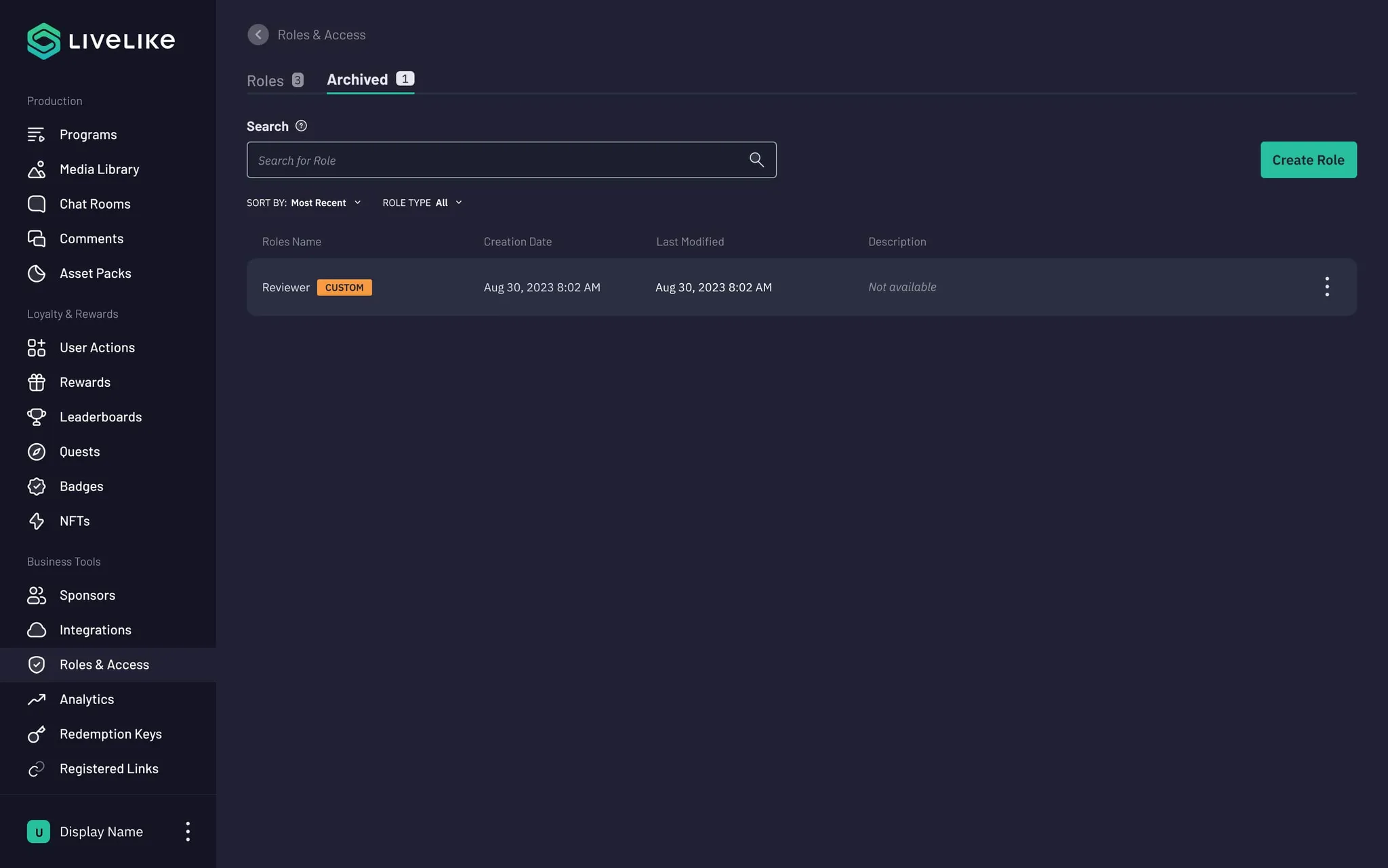
Archiving temporarily disables a role while preserving it for later. Other actions include editing, duplication, and permanent deletion.
Initial prototype testing achieved a 94% task completion rate, a 93% first-time success rate, and average task times of 20–26 seconds. Three months after release, direct RBAC support inquiries had fallen by 96%; quarterly task success was 89%, with 90% first-time success.
Access management needs both precision and clarity. Default roles shorten setup, while custom roles and explicit permissions help administrators handle more complex responsibilities without relying on support.